
Chat Bubble
Chat bubble facilitates fluid exchange of information.
Chat bubble facilitates fluid exchange of information.
Types
There are two types of chat messages: Outgoing Message and Incoming Message.
Outgoing Message
An outgoing message is sent by the user, right-aligned and styled to differentiate from incoming messages, often including a timestamp and status indicator.
Incoming Message
An incoming message is received by the user, typically left-aligned and styled to distinguish it from outgoing messages, often including a timestamp and sender information.
Variants
Outgoing Message
Default
This variant comes with just a message bubble.
With Metadata
This variant includes a message bubble and metadata for showing timestamp, meta item and urgency of the message.
Incoming Message
Default
This variant comes with just a message bubble.
With Metadata
This variant includes a message bubble and metadata for showing timestamp, meta item and urgency of the message.
With Avatar and Metadata
This variant includes a message bubble, avatar and metadata for showing timestamp, meta item and urgency of the message.
Structure
Outgoing Message
Default
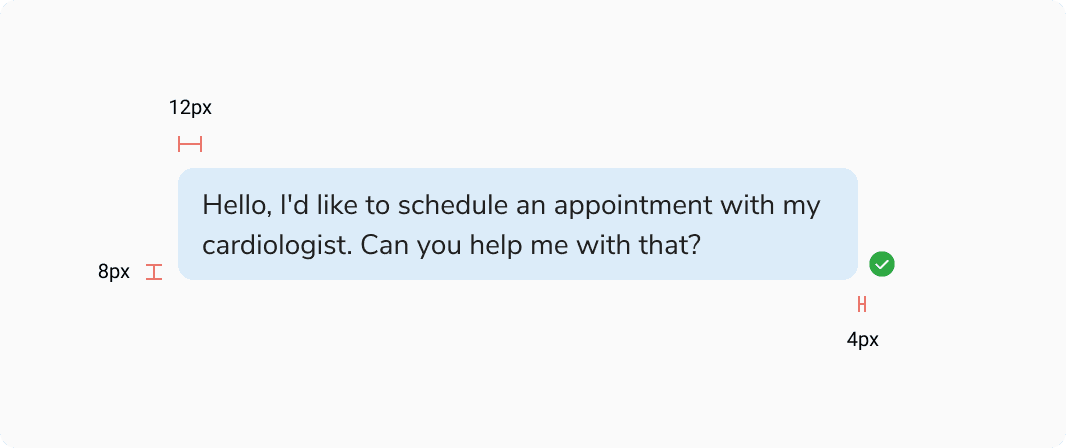 Structure - Outgoing Message - Default
| Property | Value(s) |
|---|---|
| Padding (left, right) | 12px, 12px |
| Padding (top, bottom) | 8px, 8px |
| Spacing between status and bubble | 4px |
With Metadata
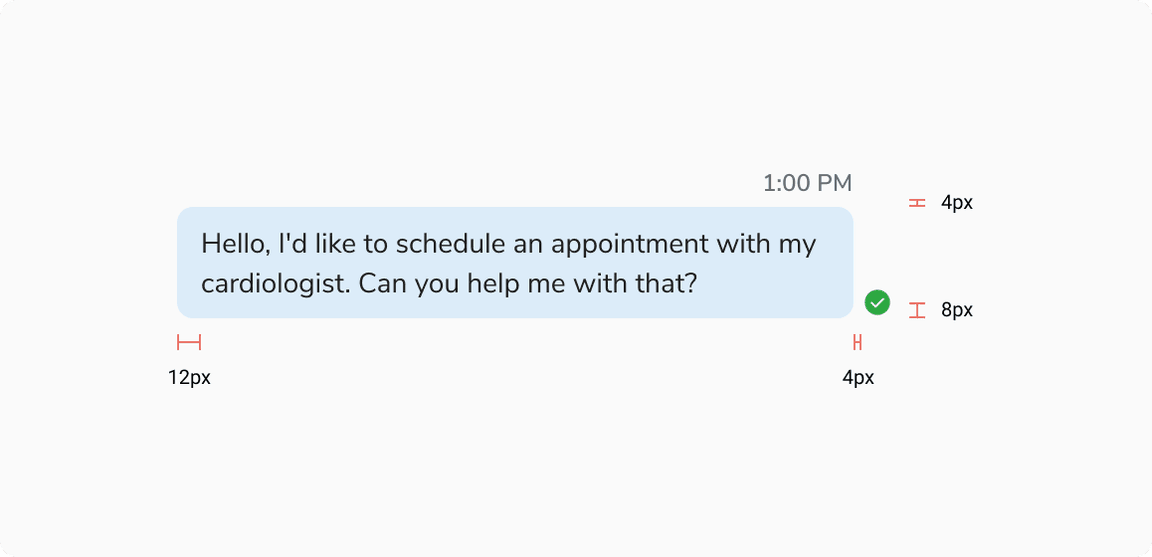 Structure - Outgoing Message - With Metadata
| Property | Value(s) |
|---|---|
| Padding (left, right) | 12px, 12px |
| Padding (top, bottom) | 8px, 8px |
| Spacing between metadata and bubble | 4px |
| Spacing between status and bubble | 4px |
Incoming Message
Default
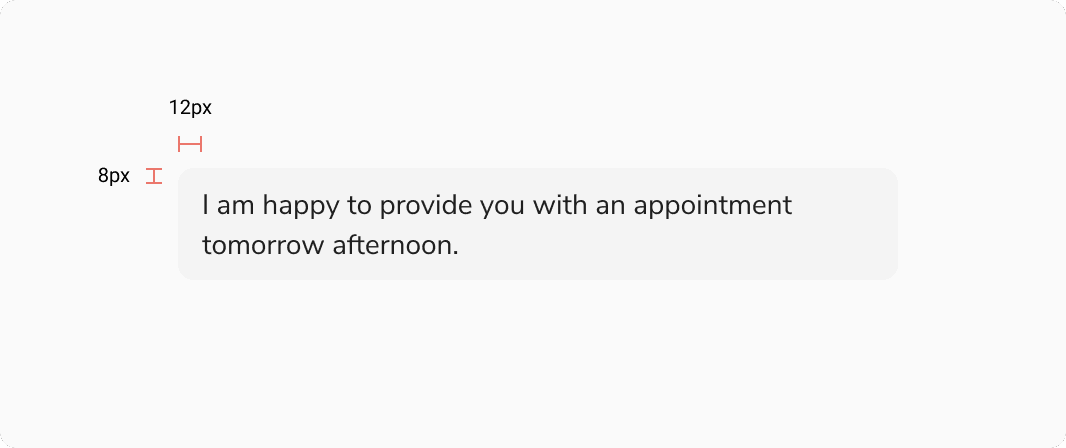 Structure - Incoming Message - Default
| Property | Value(s) |
|---|---|
| Padding (left, right) | 12px, 12px |
| Padding (top, bottom) | 8px, 8px |
With Metadata
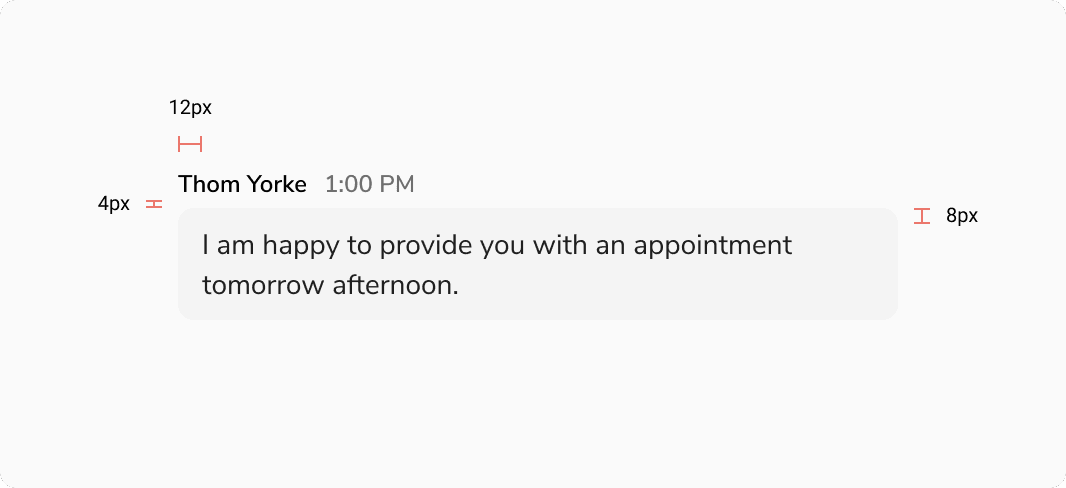 Structure - Incoming Message - With Metadata
| Property | Value(s) |
|---|---|
| Padding (left, right) | 12px, 12px |
| Padding (top, bottom) | 8px, 8px |
| Spacing between metadata and bubble | 4px |
With Avatar and Metadata
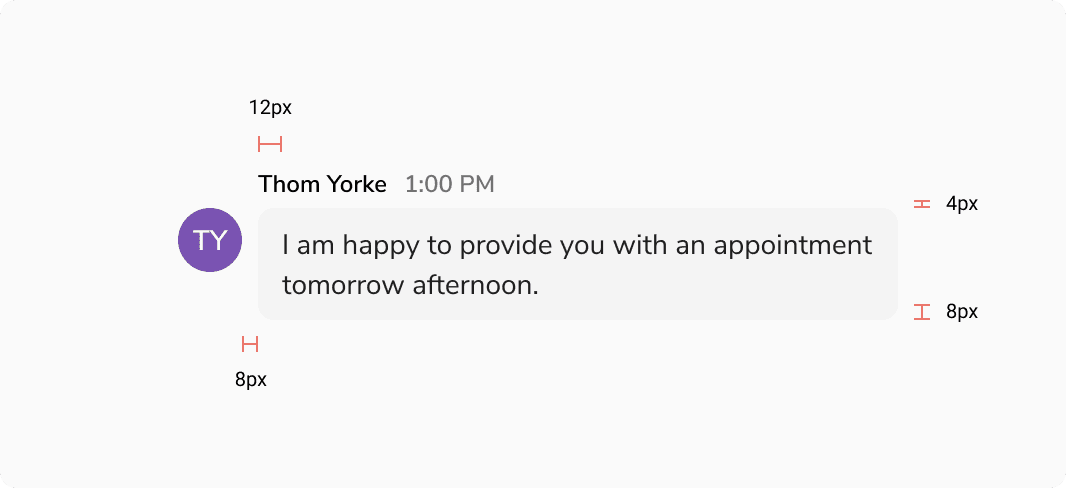 Structure - Incoming Message - With Avatar and Metadata
| Property | Value(s) |
|---|---|
| Padding (left, right) | 12px, 12px |
| Padding (top, bottom) | 8px, 8px |
| Spacing between metadata and bubble | 4px |
| Spacing between avatar and bubble | 8px |
Configurations
Outgoing Message
| Property | Value(s) | Default value |
|---|---|---|
| Actions (optional) |
| True |
| Status (optional) |
| True |
Incoming Message
| Property | Value(s) | Default value |
|---|---|---|
| Actions (optional) |
| True |
Behaviour
Sending State of Outgoing Message
While in the sending state, the outgoing message displays an opacity of 48% to indicate that it has not yet been delivered.
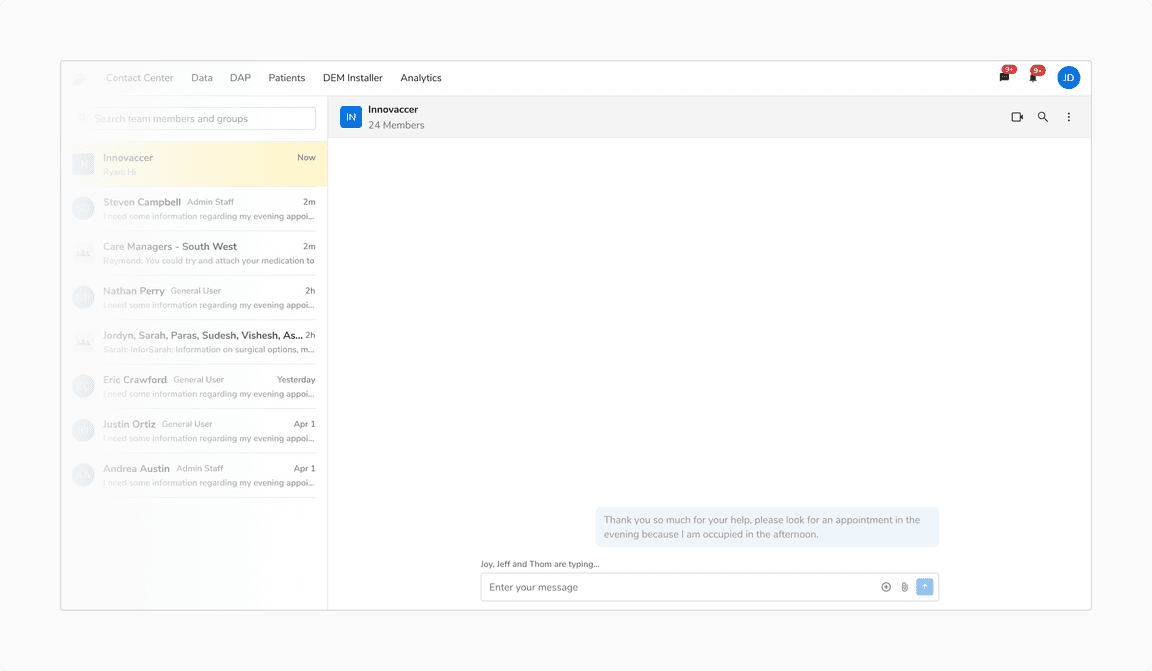 Sending State of Outgoing Message
Error State of Outgoing Message
If the outgoing message fails, you can attempt to resend it by retrying.
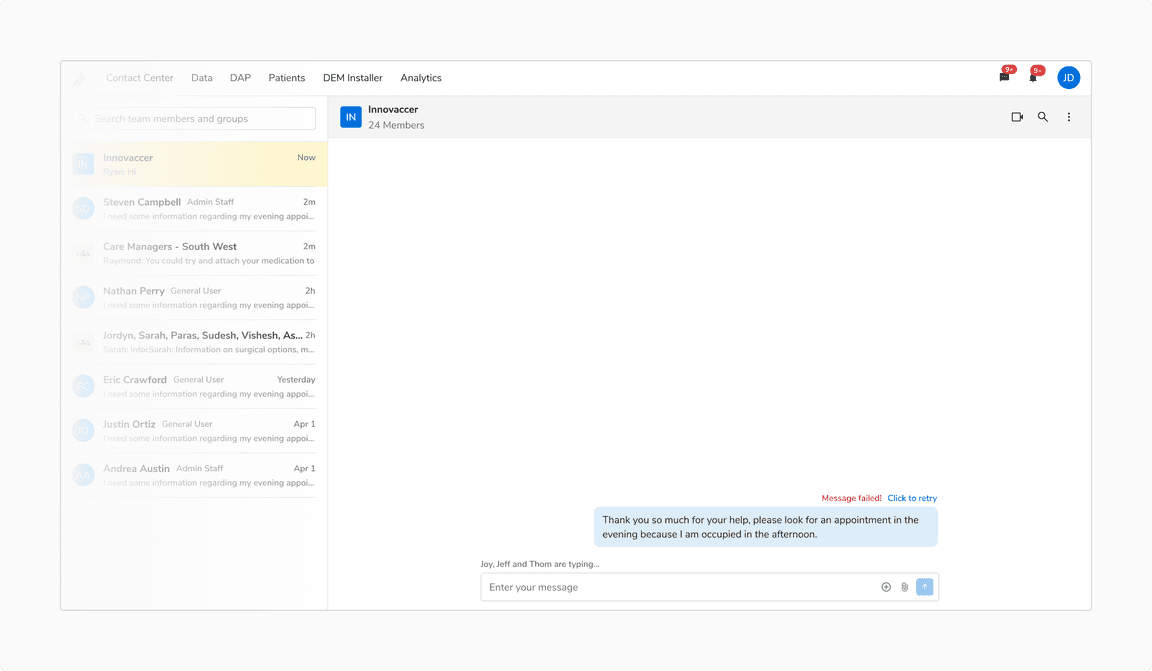 Error State of Outgoing Message
Urgent Message
It is recommended to tag a message urgent to bring attention to it. An urgent message within a thread will interrupt the conversation flow, categorizing it as a distinct entity separate from the ongoing discussion.
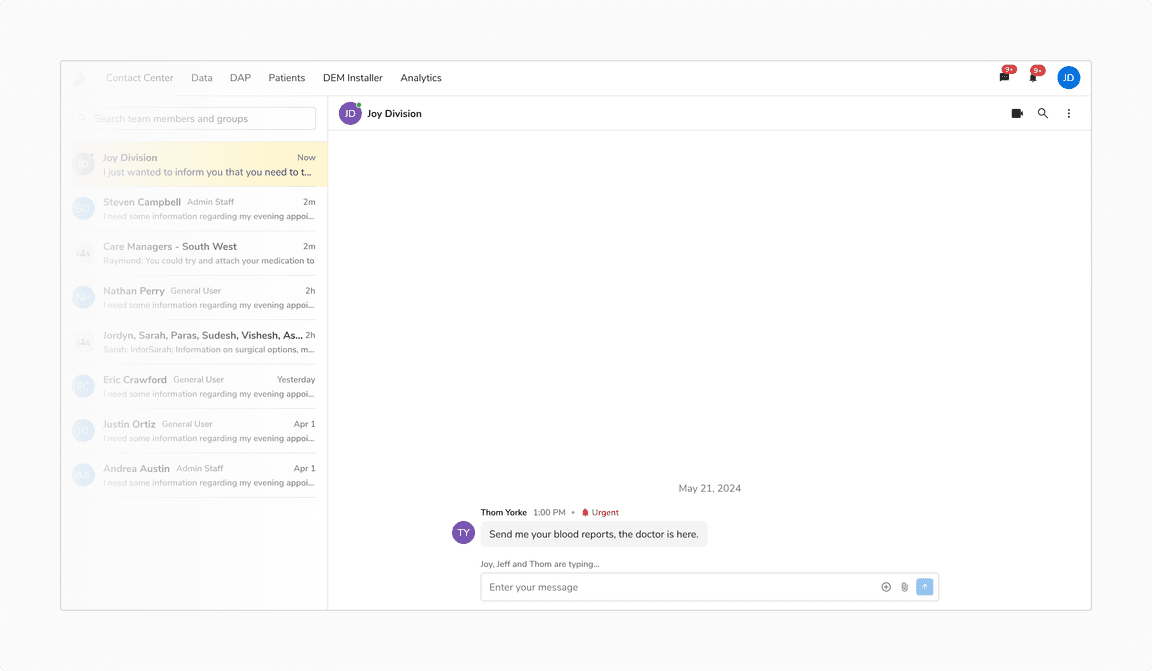 Urgent Message
Showing Actions on Hover
You can show actions relevant to a chat bubble on hover.
Message Entry Guideline for Chat Bubble
Message Grouping Logic
- Messages sent within less than 5 minutes of each other will be grouped together and treated as a single conversation thread.
- If the time interval between consecutive messages is 5 minutes or more, it will be considered a new entry.
Timestamp Display
- For messages grouped in the same thread, display the timestamp only for the first message.
- For new message entries, display a timestamp at the start of the entry to indicate the time gap.
Note: In both the cases, the status is shown for the last message, indicating that all previous messages in the thread have been delivered.
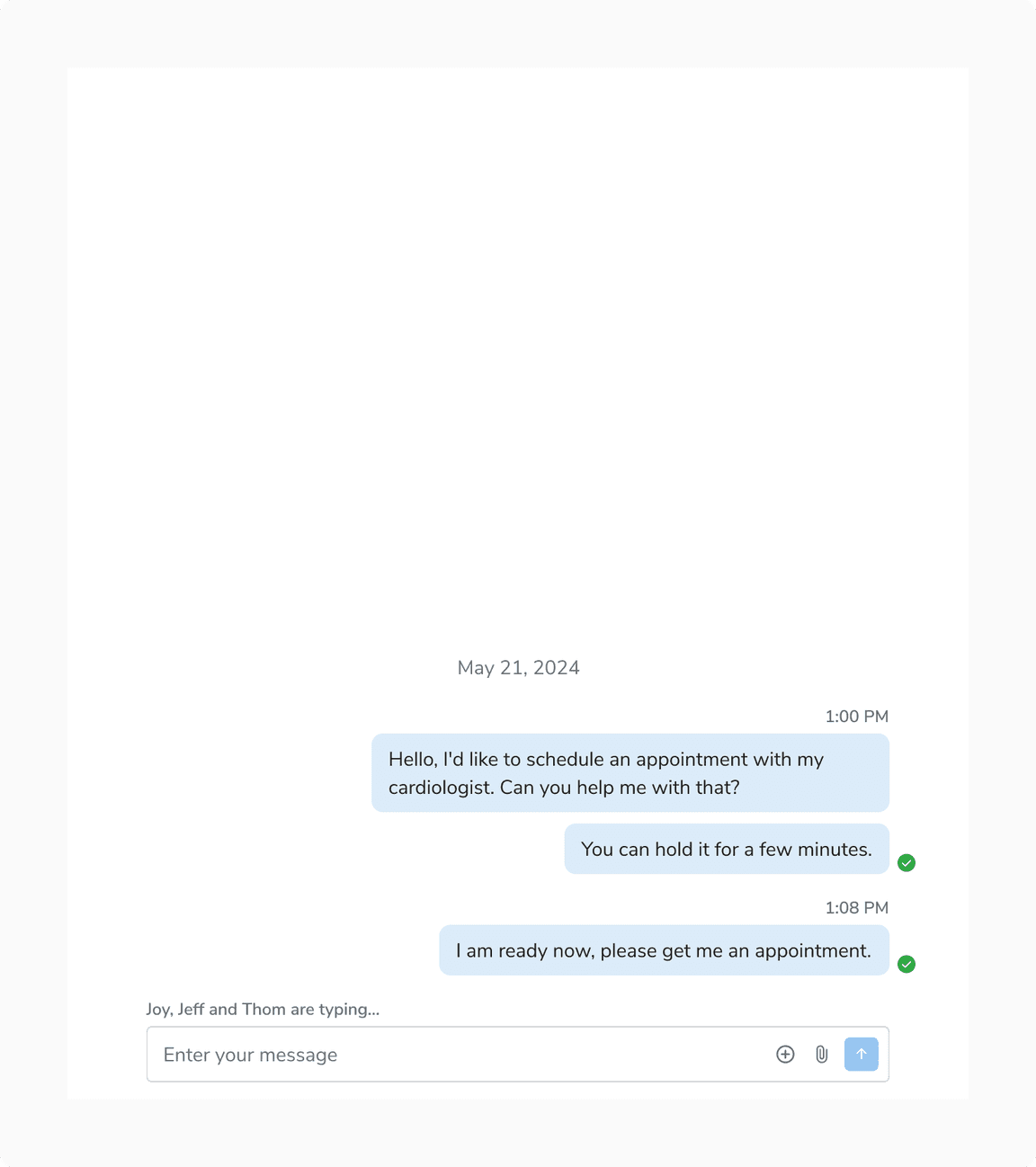 New Message Interval
Usage
Custom Chat Message
Chat messages are highly customizable and can incorporate a wide range of components to meet diverse use cases.
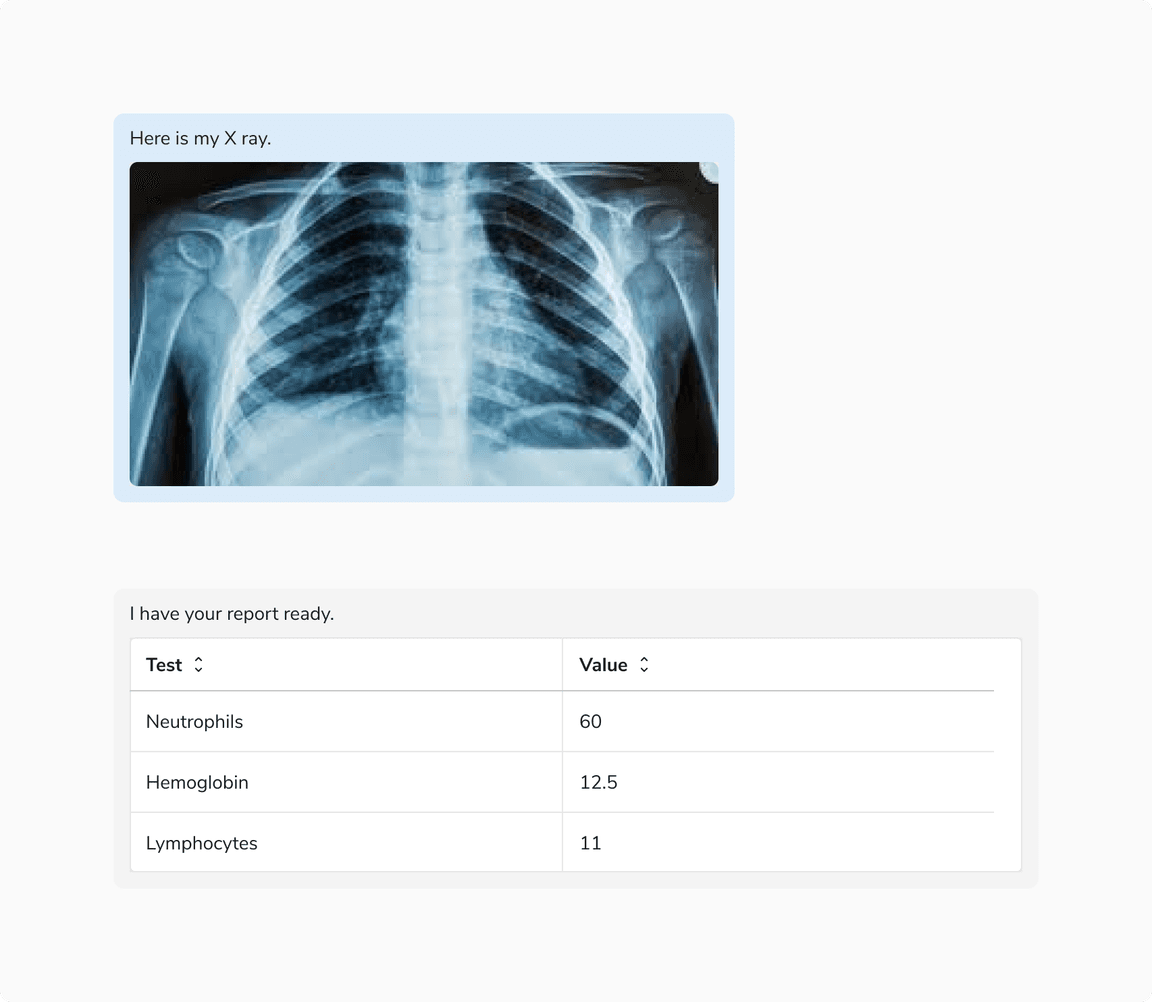 Custom Chat Message
Forwarding Messages
It is recommended to use a modal for forwarding messages.
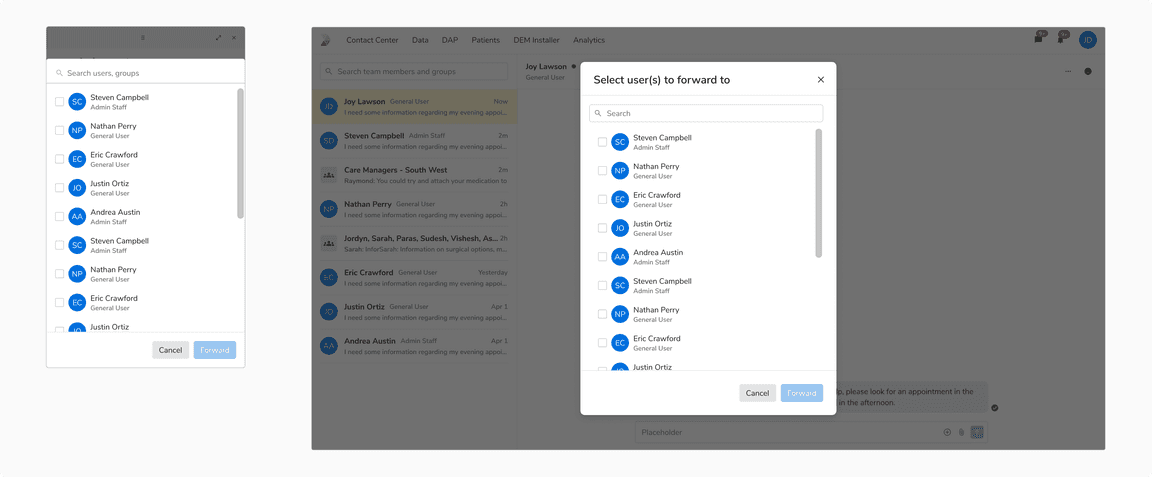 Forwarding Messages using a modal
Avatars and Status in Case of a Space Constraint
It is recommended to avoid showing avatars and status in case of a space constraint.
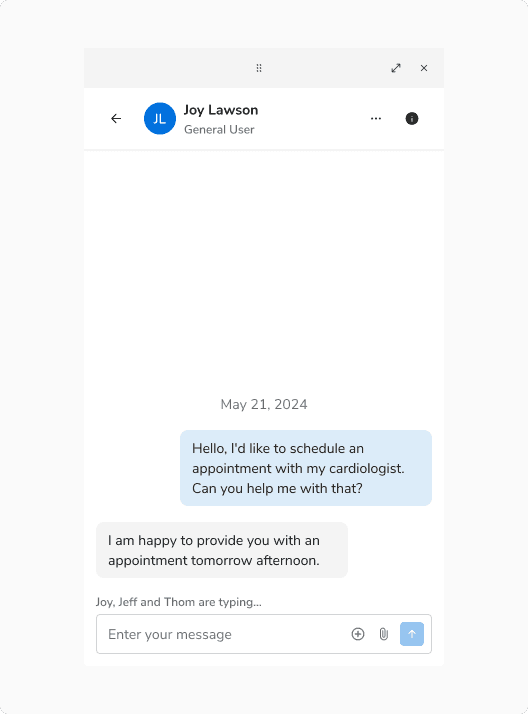 Avoid Showing Avatars and Status in Case of a Space Constraint
Timestamp for Time Critical Events
It is recommended to display the message timestamp for handling time critical scenarios effectively.